Books
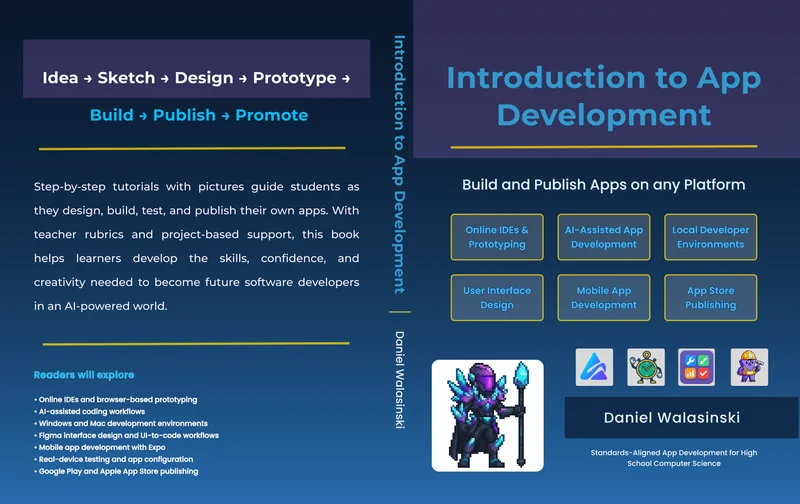
Introduction to App Development
Build and Publish Apps on any Platform
A hands-on app development textbook for schools, teachers, and beginner learners. Students move from first idea to working prototype to published product through guided projects, screenshots, testing, revision, and real-world publishing workflows.
By Daniel Walasinski
Why This Book
Built for Classrooms
Helps teachers introduce app development through structured lessons, screenshots, and practical project steps.
Beginner Friendly
Starts with accessible tools and gradually introduces modern development workflows.
Full App Pipeline
Covers design, code, testing, troubleshooting, revision, build files, Google Play, and Apple App Store publishing.
What Students Learn
Build simple web apps
Create mobile apps with React Native and Expo
Use AI coding tools such as Bolt.new and Cursor
Design app interfaces in Figma
Convert designs into code
Test apps on real devices
Prepare app assets
Publish through Google Play and Apple App Store
How It Supports Computer Science Programs
Introduction to App Development gives schools a practical pathway for teaching modern app creation without requiring students to begin with advanced programming theory. The book supports project-based learning, classroom documentation, student evidence of work, and teacher assessment through chapter rubrics and guided deliverables.
Ready-to-teach structure
Chapters follow a logical classroom sequence with clear objectives and outcomes.
Project-based technology learning
Students create real apps rather than completing abstract exercises.
Step-by-step screenshots
Visual guidance helps learners follow along regardless of prior experience.
Rubrics and completion evidence
Built-in assessment tools help teachers evaluate student progress.
Chapter Coverage
Book Details
- Format
- Textbook / coursebook
- Level
- Beginner
- Best for
- High school computer science, STEM, app development, technology courses
- Focus
- Design, code, test, troubleshoot, revise, build, publish
- Tools covered
- CodeSandbox, Snack Expo, Bolt.new, Cursor, VS Code, GitHub Codespaces, Swift, Xcode, Figma, FlutterFlow, React Native, Expo, Google Play, Apple App Store
Bring App Development Into Your Classroom
Use Introduction to App Development to help learners build confidence with modern software tools while creating real apps and understanding the complete development process.
About the Author
Daniel Walasinski is an international educator, STEAM teacher, curriculum designer, and developer. His teaching experience includes English language arts, robotics, coding, computer-aided design, and project-based technology learning. He created Introduction to App Development to give teachers and learners a practical pathway into modern app creation, from first idea to working prototype to published product.